Git-ftp - is a FTP client using Git to determine which local files to upload or which files should be deleted on the remote host. It saves the deployed state by uploading the SHA1 hash in the .git-ftp.log file. There is no need for Git to be installed on the remote host.
CSVfix - If you have any dealings at all with data and databases, then you almost certainly will have to deal with comma-separated values (CSV) data. Unfortunately, the CSV files you are given, or are required to produce, never seem to be in quite the right format for your particular business application. And because of the structure of CSV records, using standard text processing tools like sed, awk and perl is not as simple as it might be. CSVfix aims to provide a solution to these problems. It is a command-line stream editor specifically designed to deal with CSV data.
Hyperion - is an opensource ‘AmbiLight’ implementation controlled using the RaspBerry Pi running Raspbmc.
daemonize - runs a command as a Unix daemon. As defined in W. Richard Stevens’ 1990 book, UNIX Network Programming (Addison-Wesley, 1990), a daemon is “a process that executes ‘in the background’ (i.e., without an associated terminal or login shell) either waiting for some event to occur, or waiting to perform some specified task on a periodic basis.”
AirSonos - is a small server written in node.js to add AirPlay support to a Sonos network.
Gitblit - is an open-source, pure Java stack for managing, viewing, and serving Git repositories. It’s designed primarily as a tool for small workgroups who want to host centralized repositories.
Pixel Winch - is a screen measurement app with a unique approach. Rather than overlaying complicated controls on top of your existing workflow, it combines aspects of a traditional image editor with the quick access of a modal interface (similar to OS X’s Launchpad or Dashboard).
Babun - is a Windows shell you will love. Would you like to use a linux-like console on a Windows host without a lot of fuzz? Try out babun!
XKeymacs - is a keyboard utility to realize emacs like-useability on all windows applications. With XKeymacs you can use emacs keybindings with any windows application. You can create a keyboard macro and assign any shortcut key too. You also get bash-like command completion in your DOS shell. If you do not know Emacs, Xemacs, Mule or Meadow, you probably want nothing to do with XKeymacs.
osxc - installs software on your mac and configures it automatically, just by writing a few lines of code. Lost everything on your hard drive? osxc got your back, don’t waste your time reinstalling your dev environment. Want to experiment new configuration? just try it, your configuration repository is versioned.
Mein Computer ist ein Apple MacBook Pro (early 2011) mit hochauflösendem 15”
AntiGlare Display, einer 2 GHz Intel Core i7 CPU und 8 GB RAM. Das ist auf dem
Papier so weit immer noch eine schnelle Maschine.
In der Praxis wird das Gesamtsystem allerdings durch die verbaute 500 GB
Toshiba-Festplatte mit 5400 RPM ausgebremst. Und zwar nicht zu knapp.
Die Messung mit dem Black Magic Disk Speed Test ergibt auch sehr
wohlwollend betrachtet lediglich schlappe 40 Megabyte/s im Lesen und so gerade
eben 28 Megabyte/s im Schreiben.
Die Festplatte nutzt die verfügbaren 6 Gigabit/s Bandbreite1 des internen
SATA 3 Anschlusses also nicht wirklich aus…
Gerade bei Vorgängen die auf viele, relativ kleine Dateien auf der Platte
zurückgreifen, dreht die CPU Däumchen während sie auf die Anlieferung der
Datenhäppchen wartet. Das sind bei mir vor allem:
Insbesondere dann, wenn Arbeit mit dem Fotoarchiv und ein2 gleichzeitiger
Backuplauf zusammenkamen, war eine angemessene Schwuppdizität in egal welchem
Programm kaum mehr zu erzielen.
Glücklicherweise ist der Festplatte als Flaschenhals relativ einfach
beizukommen: Man ersetze sie schlicht mit einer SSD. Diese auf
Flash-Speicher basierenden Laufwerke sind Festplatten in allen technischen
Belangen, vor allem aber bei der Zugriffsgeschwindigkeit, überlegen. Dafür
sind Festplatten, besonders wenn man Kapazitäten ab 500 GB betrachtet, um
Größenordnungen billiger.
Alternativ hätte ich natürlich eine günstigere, kleinere SSD mit ca. 128-256 GB
erwerben können und dann sehr mit meinen Daten haushalten3. Oder die
Festplatte mit einem OptiBay-Adapter anstelle des Superdrives in das
MacBook Pro einbauen und dort die großen Daten, also in meinem Fall vor allem
das Fotoarchiv, lagern. Das erschien mir aber wie eine unvollständige Lösung
des Problems, ich wollte gerne alle Daten auf schnellem Flash-Speicher liegen
haben.
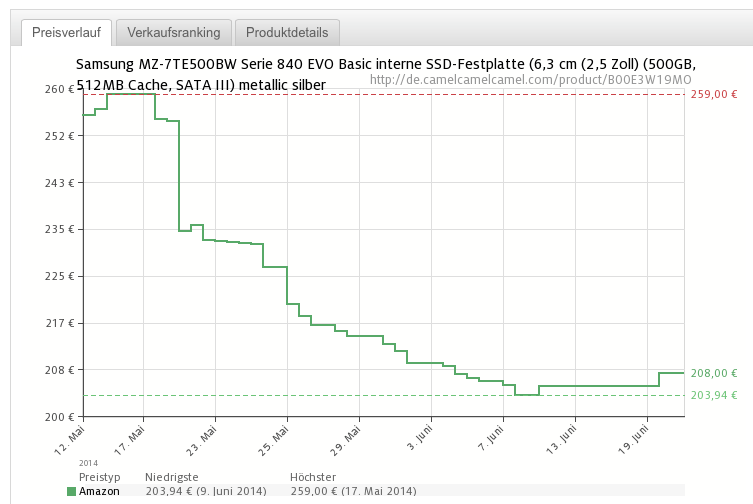
Nach einigen Jahren4 der Marktbeobachtung habe ich mich nun bei
nur ganz knapp über 200 € für eine 500 GB große Samsung 840 evo SSD
entschieden. Und ich bin mit diesem Stück Hardware sehr glücklich.
Um es tl;dr-kurz zu machen: Alles was die Leute über SSDs sagen ist
wahr. Hat man einmal an einem SSD-basierten System gearbeitet, so gibt es kein
Zurück mehr. Never ever will ich noch mal mit einem Computer arbeiten, dessen
OS auf rotierenden, magnetischen Scheiben liegt5. Die SSD ist meiner
Meinung nach das beste und sinnvollste singuläre Hardware-Upgrade für Computer
seit den seeligen Zeiten der 3D-Beschleuniger-Karten anno 1995. Yes,
it’s that good.
Wie glücklich genau eine SSD macht, wie die SSD in das MacBook kam und wie
meine Daten von den magnetischen Scheiben in die Flash-Zellen übertragen
wurden, das alles folgt nach dem Klick…
Cloudmarks - is a Safari extension that works with cloud bookmarking services Pinboard, Delicious, Kippt, and Google Bookmarks. Cloudmarks lets you access your cloud bookmarks in a convenient popover window without interrupting your browsing.
contacts - gives you access to view and search all your records in the AddressBook database.
OpenRefine - is a power tool that allows you to load data, understand it, clean it up, reconcile it to master database, and augment it with data coming from Freebase or other web sources. All with the comfort and privacy of your own computer.
cliutils - is a library of functionality designed to alleviate common tasks and headaches when developing command-line (CLI) apps in Ruby.
GitBook - is a command line tool (and Node.js library) for building beautiful programming books and exercises using GitHub/Git and Markdown. An editor is available for Windows, Mac and Linux.
Fuck Off As A Service (FOAAS) - provides a modern, RESTful, scalable solution to the common problem of telling people to fuck off.
DynaHack - A NetHack variant with UnNetHack’s new content/challenges, NitroHack’s UI, GruntHack’s random magical items, and more.
play - is an employee-powered iTunes-based client-driven distributed music server for your office. Also it can prepare your taxes.
iTunes-Volume-Control - This app allows you to control the iTunes volume using volume up and volume down hotkeys.
Tumult Hype - Using Tumult Hype, you can create beautiful HTML5 web content. Interactive content and animations made with Tumult Hype work on desktops, smartphones and iPads. No coding required.
dategrep - searches the named input files for lines matching a date range and prints them to stdout. If dategrep works on a seekable file, it can do a binary search to find the first and last line to print pretty efficiently. dategrep can also read from stdin if one the filename arguments is just a hyphen, but in this case it has to parse every single line which will be slower.
Normbrief mit Markdown - Mit diesem Stylesheet (CSS) kann man mittels Markdown private Briefe oder auch Geschäftsbriefe verfassen. Dabei wird das Anschriftsfenster von Briefumschlägen berücksichtigt. Der Briefkopf mit Bank- und Kontaktdaten erscheint in einer zweiten Spalte.
Comic Neue - Comic Sans wasn’t designed to be the world’s most ubiquitous casual typeface1. Comic Neue aspires to be the casual script choice for everyone including the typographically savvy. The squashed, wonky, and weird glyphs of Comic Sans have been beaten into shape while maintaining the honesty that made Comic Sans so popular. It’s perfect as a display face, for marking up comments, and writing passive aggressive office memos.
TreeSheets - is the ultimate replacement for spreadsheets, mind mappers, outliners, PIMs, text editors and small databases. Suitable for any kind of data organization, such as Todo lists, calendars, project management, brainstorming, organizing ideas, planning, requirements gathering, presentation of information, etc.
AltDrag - gives you the ability to move and resize your windows in a new way. When running, you can simply keep the Alt key depressed and then click and drag any window. Besides just moving windows, you can resize, maximize and close them too. AltDrag simply allows you to do more with less mouse movements.
Tabula - is a tool for liberating data tables trapped inside PDF files. If you’ve ever tried to do anything with data provided to you in PDFs, you know how painful this is - you can’t easily copy-and-paste rows of data out of PDF files. Tabula allows you to extract that data in CSV format, through a simple interface.
fzf - is a general-purpose fuzzy finder for your shell.
wkline - is a WebKit-based statusline utility for tiling window managers. It displays a HTML-based statusline in a WebKit web view. It provides a smooth looking statusline with CSS transitions and effects, and the possibility of having a transparent background with effects without a desktop compositor running.
After Dark in CSS - Do you longingly reminisce about the days when flying toasters graced your screen? Do words like “Confetti Factory” and “Daredevil Dan” make your heart skip a beat? If so, then never fear — CSS is here! Using modern CSS techniques like animations and transforms, we can imitate several of your favorite After Dark(tm) screensavers.
httpie - is a command line HTTP client. Its goal is to make CLI interaction with web services as human-friendly as possible. It provides a simple http command that allows for sending arbitrary HTTP requests using a simple and natural syntax, and displays colorized responses. HTTPie can be used for testing, debugging, and generally interacting with HTTP servers.
HTML-XML-utils - are a number of simple utilities for manipulating HTML and XML files. Including the incredibly handy hxpipe, which converts HTML to a line-by-line format that plays nicely with awk, grep, sed, …
MkDocs - is a fast, simple and downright gorgeous static site generator that’s geared towards building project documentation. Documentation source files are written in Markdown, and configured with a single YAML configuration file.
Steg - is a cross-platform and portable software, written in C++. It use steganography and cryptography techniques to hide information inside uncompressed and compressed images. JPEG (JPG), TIFF, PNG, BMP image formats are supported. With it’s easy graphical user interface is possible to fine tune steganography parameters, evaluates image’s artifacts and uses both symmetric-key and asymmetric-key cryptography. Arbitrary data can be hidden as compressed archive file and it’s also possible to add a text comment.
ctrlp.vim - Full path fuzzy file, buffer, mru, tag, … finder for Vim.
Log Parser Studio - is a utility that allows you to search through and create reports from your IIS, Event, EXADB and others types of logs. It builds on top of Log Parser 2.2 and has a full user interface for easy creation and management of related SQL queries.
Massren - is a command line tool that can be used to rename multiple files using your own text editor. Multiple-rename tools are usually difficult to use from the command line since any regular expression needs to be escaped, and each tool uses its own syntax and flavor of regex. The advantage of massren is that you are using the text editor you use every day, and so can use all its features.
iotop - is a Python program with a top like UI used to show of behalf of which process is the I/O going on.
LAN Speed Test (Lite) - is a FREE utility designed from the ground up to be a simple but powerful tool for measuring file transfer, hard drive, USB Drive, and Local Area Network (LAN) speeds (wired & wireless). It does this by building a file in memory, then transfers it both ways (without effects of windows file caching) while keeping track of the time, and then does the calculations for you.
Dropbox Uploader - is a BASH script which can be used to upload, download, list or delete files from Dropbox
Faker - is a Rubygem that generates fake data for you. Whether you need to bootstrap your database, create good-looking XML documents, fill-in your persistence to stress test it, or anonymize data taken from a production service, Faker is for you.
When I sit in front of an old school, regular computer1, writing happens
in Vim. Mails, code, blogposts, my diploma thesis, ToDo-lists, comments on random web
pages2 - everything.
There is no real standard for the notation, but most people tend to use numbers
or words or a combination of these two. As long as the footnote marker is
preceded by a caret (^) and enclosed by square brackets ([]) and the
matching footnote reference starts at the beginning of a line and is followed
by a colon (:), MultiMarkdown is a happy camper. The resulting
Markdown-source is easy to read and really flexible:
MultiMarkdown Footnotes
12345678910
This is an example text containig footnotes[^1]. These can be made of numbers
or almost any other character[^anotherfootnote].

Of course, one can use a combination[^fn5].

[^1]: This is a footnote...

[^anotherfootnote]: Therefore, this is also a footnote...

[^fn5]: This is also a footnote...
Trouble is, all these brackets and carets for the footnote links are kind of
hard to type. The best practice for the footnote references is to keep them at
the end of the file, so additional cursor movement is necessary. If you just
want to insert a footnote as fast as possible and keep your writing flow, all
this key pressing gets boring really soon.
vim-markdownfootnotes to the rescue
Luckily, I use Vim. Vim loves text automation. And Vim is used by lots of
smart people like David Sanson who forked the venerable vimfootnotes,
named it vim-markdownfootnotes and tweaked it for use with the extended
Markdown markup as shown above.
The vim-markdownfootnotes plugin can easily be installed with Pathogen and defines
two mappings:
vim-markdown mappings
12
<Leader>f    Insert new footnote
<Leader>r    Return from footnote
From now on, you just type <Leader>f whenever you want to insert a footnote
marker. The mapping works in normal and in insert mode which results in
almost no friction while writing. This simple command inserts a footnote marker
like [^1] after the cursor and a matching footnote reference like [^1]:
gets inserted all the way down at the end of the file. Impressive, but the
wonder does not stop here:
Vim opens a new buffer in a split window at the bottom of the current window
and places your cursor right behind the empty space after the colon. This way
you can just keep on typing your footnote and hit <Leader>r to close the
split and return to the place in the main text where you left off. And you
just keep on typing, leaving behind only a beautifully formatted MultiMarkdown
footnote and no wasted thoughts.
It looks a lot like this:
The plugin also keeps track of the number of footnotes it inserted so the
second footnote marker gets inserted as [^2], the third as [^3] and so
on…
It’s a really good solution and includes some nice bells and whistles. If, for
example, you don’t like the use of the default arabic numerals you are free to
change the format by setting the variable vimfootnotetype to one of the
following:
arabic: 1, 2, 3…
alpha: a, b, c, aa, bb…, zz, a…
Alpha: A, B, C, AA, BB…, ZZ, A…
roman: i, ii, iii… (displayed properly up to 89)
Roman: I, II, III…
star: *, **, ***…
Because we can. Crazy stuff. Totally cool if you think about it.
My footnote counter pet peeve
I installed the plugin in spring 2012 and slightly changed the sourcecode to
use [^fn23] as footnote markup4 to make it more distinguishable from
regular numbered Markdown reference style links. I kept on using it ever
since, despite one minor gripe which kept on itching me:
The footnote counter only works for one session. Whenever I opened a file which
already contained some footnotes, I had to check5 for the number of the
last added footnote and use the FootnoteNumber command to set the counter to
the correct starting point.
I usually write my blogposts in small chunks, so typing :FootnoteNumber 5
after finding out that the last footnote was [^fn4] was also kinda boring.
And of course I always inserted a [^fn1] when footnotes were already
present in the file before remembering I had to adjust the counter. So I had to
undo the last footnote, close the split by hand, reset the counter and start
again…
I don’t want to do this little footnote-counter-adjusting-dance every time
I open a file. My computer should do this for me. I mean, seriously how hard
can it be?
Luckily, another smart Vim-user named Nick Coleman, solved the problem for
the automatic insertion of HTML-footnotes which are magnitudes harder to
type than their Markdown counterparts. He wrote his own footnote.vim
script which6 does not include fancy stuff like key mappings or splits but had
a working footnote counter implemented in VimL.
So I did what every self respecting geek would do:
I ripped the code apart and changed the regular expression to match against my
style of Markdown footnotes. The result worked fine on it’s own but I missed
the easy writing flow of <Leader>f and <Leader>r.
Naturally, I forked vim-markdownfootnotes on Github and cobbled the
counter code directly into the function s:VimFootnotes(appendcmd). Now,
whenever I hit <Leader>f the script counts the occurences of the footnote
references, adds 1 and sets the global variable g:vimfootnotenumber to the result.
The FootnoteNumber, FootnoteNumberRestore and FootnoteUndo functions are
still present in the code, but whatever they set the variable to gets
overridden by the automatic counter which, by the way, even works with non
arabic numerals. So people who prefer their footnotes numbered with roman
numerals or stars can also use this.
No more thinking about the current footnote counter, more thinking about my
words. Excellent.
Sorting Markdown footnotes
Now, because I tend to edit my posts in small chunks it is not uncommon at all,
that I insert a footnote somewhere in the text. Maybe even at the very
beginning. This can lead to a situation like this7:
Unordered Footnotes
12345678910111213141516
Well, the way they make shows is, they make one show. That show's called
a pilot[^fn2]. Then they show that show to the people who make shows, and on the
strength of that one show they decide if they're going to make more shows. Some
pilots get picked and become television programs. Some don't, become nothing.
She starred in one of the ones that became nothing.

Now that there is the Tec-9[^fn1], a crappy spray gun from South Miami. This gun is
advertised as the most popular gun in American crime. Do you believe that shit?
It actually says that in the little book that comes with it: the most popular
gun in American crime. Like they're actually proud of that shit[^fn3].

[^fn1]: This is a footnote concerning the Tec-9, it was the first that was written...

[^fn2]: This is the second footnote I added, it's marker appears in the text before the marker of the first footnote...

[^fn3]: This is the third footnote I added, it's marker is the last in the text...
The second footnote is added to the beginning of the text, 2 appears before 1.
The footnote references are numbered 1, 2, 3 but the footnote markers are 2, 1, 3.
This is, and I may overreact here, totally wrong…
Markdown does not care a bit about the order in which the footnotes appear in
the text. The text above and the following, nicely tidied up text render to the exact
same HTML.
Sorted footnotes by appearance in the text
12345678910111213141516
Well, the way they make shows is, they make one show. That show's called
a pilot[^fn1]. Then they show that show to the people who make shows, and on the
strength of that one show they decide if they're going to make more shows. Some
pilots get picked and become television programs. Some don't, become nothing.
She starred in one of the ones that became nothing.

Now that there is the Tec-9[^fn2], a crappy spray gun from South Miami. This gun is
advertised as the most popular gun in American crime. Do you believe that shit?
It actually says that in the little book that comes with it: the most popular
gun in American crime. Like they're actually proud of that shit[^fn3].

[^fn1]: This is the second footnote I added, it's marker appears in the text before the marker of the first footnote...

[^fn2]: This is a footnote concerning the Tec-9, it was the first that was written...

[^fn3]: This is the third footnote I added, it's marker is the last in the text...
So nobody but me would notice any difference. But really, this bothered me.
So again, I turned to the Internet to see if I could find a solution for my
problem. And sure enough, in a thread on the MultiMarkdown Google group
I found a hint8 that the document converter Pandoc could do this by
converting from Markdown to Markdown like this:
Indeed, this works fine but strips my beloved fn-addition from each and every
footnote… And I’m so used to my beloved fn-additions…
I considered diving into the source of Pandoc to fix this behaviour and learn
some Haskell along the way but decided against it. I thought of
formd, which I use to convert Markdown links from inline to
reference style9 and wondered, why this fine software does not work with
footnotes. After all, they are not that different from regular reference
links, aren’t they?
I tried to find out if I could alter the behaviour of formd to sort footnotes
as effortless into a nice order as links. But my Python-fu was too weak.
With some more looking at the Internet I found a promising looking post
by yet another Dr., Dr. Drang. He wrote a Python-script to tidy up Markdown reference
links.
More importantly, he explained the inner workings of the script in great
detail, so even I could figure out10 how this was supposed to work. Just
like formd, the script made sure to exclude footnotes. I changed the two
regular expressions to match against footnote markers and references and ignore
regular markdown links. The inner logic remained the same and some more
adjustments to the string replacement parts later the new sort_footnotes
script worked surprisingly well. It looks like this:
#!/usr/bin/pythonimportsysimportre'''Read a Markdown file via standard input and tidy the containingMultimarkdown footnotes. The reference links will be numbered inthe order they appear in the text and placed at the bottomof the file.Based on "Tidying Markdown reference links" by Dr. Drang available at:http://www.leancrew.com/all-this/2012/09/tidying-markdown-reference-links/Do *not* place footnote reference links at the start of a line, bad things willhappen, your footnotes will be eaten by a grue.'''# The regex for finding footnote reference links in the text. link=re.compile(r'[^(?<=\n)](\[\^fn([\d]+)\])')# The regex for finding the footnote labels with the text.label=re.compile(r'(?<=\n)\[\^fn([\d]+)]:\s?(.*)')defrefrepl(m):# Rewrite reference links with the reordered link numbers. Insert the first# character from the footnote reference link right before the new link.return'%s[^fn%d]'%(m.group(0)[:1],order.index(m.group(2))+1)# Read in the file and find all the footnote-links and -references.text=sys.stdin.read()links=link.findall(text)labels=dict(label.findall(text))# Determine the order of the footnote-links in the text. If a link is used# more than once, its order is its first position.order=[]foriinlinks:iforder.count(i[1])==0:order.append(i[1])# Make a list of the footnote-references in order of appearance.newlabels=['[^fn%d]: %s\n'%(i+1,labels[j])for(i,j)inenumerate(order)]# Remove the old footnote-references and put the new ones at the end of the text.text=label.sub('',text).rstrip()+'\n'*3+'\n'.join(newlabels)# Rewrite the footnote-links with the new footnote-reference numbers.text=link.sub(refrepl,text)printtext
Like the original by Dr. Drang, sort_footnotes is by no means foolproof. In
fact, it does not work with footnote links at the start of a line and fails
horrible if one is found in a file. The alternate way to differentiate between
footnote links and footnote references would have been the colon. I figured it
is much more probable that a footnote link appears right before a colon, than
it’s appearance at the start of a line. After all, footnotes should appear
after words or, even better, sentences and not before them11. Even
stranger things might occur if two footnotes have the same number or if one
marker misses it’s reference or vice versa. This kind of stuff should of course
never happen if you use the automatic insertion of footnotes as described above
but YMMV…
This script also does not work with roman numerals or stars so fans of these
footnote markers will have to port the numeral converter from VimL to Python
and insert it into my script12…
Because the script was designed to work via standard input it is easy to create
a small Vim macro, assign a mapping like <Leader>fs and pipe the content of the
current buffer through it. For good measure I also defined a <Leader>fx
mapping to use formd and sort_footnotes in one fell swoop on the current
buffer.
The mappings are defined in my .vimrc as follows:
My .vimrc Markdown reformating mappings
12345678910
" Use formd to transfer markdown from inline to reference links and vice versa" Use the vim mark m to jump back to the position from where formd was invoked." see: http://drbunsen.github.com/formd/nnoremap <leader>fr mm :%!~/bin/formd -r<CR> `m :delmarksm<CR>nnoremap <leader>fimm :%!~/bin/formd -i<CR> `m :delmarksm<CR>" Sort footnotes into order of appearancennoremap <leader>fsmm :%!~/bin/sort_footnotes<CR> `m :delmarksm<CR>" Reformat with formd to reference style and sort the footnotes. The whole" enchilada...nnoremap <leader>fx mm :%!~/bin/formd -r<bar>~/bin/sort_footnotes<CR> `m :delmarksm<CR>
And this is pretty much it.
Without worrying about cursor movement, bracket typing and keeping footnote
counters up to date it is much easier to type at the speed of thought. It is
one mental barrier less when I jump into a draft for a 20 minute editing
session after a long day. And the nicely ordered lists of links and footnotes
at the end of my markdown source files make me feel all warm and cozy inside.
knitr - was designed to be a transparent engine for dynamic report generation with R, solve some long-standing problems in Sweave, and combine features in other add-on packages into one package (knitr ≈ Sweave + cacheSweave + pgfSweave + weaver + animation::saveLatex + R2HTML::RweaveHTML + highlight::HighlightWeaveLatex + 0.2 * brew + 0.1 * SweaveListingUtils + more).
Unsavory - is a little Ruby script which checks your Pinboard bookmarks for dead links (HTTP status code 404) and removes them. Additionally it will also inform you about links which return a status code other than 200 (OK).
OpenRA - is a Libre/Free Real Time Strategy project that recreates the classic Command & Conquer titles. We include recreations of C&C (Tiberian Dawn), C&C: Red Alert, and Dune 2000. These are not intended to be perfect copies, but instead combine the classic gameplay of the originals with modern improvements such as unit veterancy and the fog of war.
websocketd - is a small command-line tool that will wrap an existing command-line interface program, and allow it to be accessed via a WebSocket. WebSocket-capable applications can now be built very easily. As long as you can write an executable program that reads STDIN and writes to STDOUT, you can build a WebSocket server. Do it in Python, Ruby, Perl, Bash, .NET, C, Go, PHP, Java, Clojure, Scala, Groovy, Expect, Awk, VBScript, Haskell, Lua, R, whatever! No networking libraries necessary.
MailCatcher - runs a super simple SMTP server which catches any message sent to it to display in a web interface. Run mailcatcher, set your favourite app to deliver to smtp://127.0.0.1:1025 instead of your default SMTP server, then check out http://127.0.0.1:1080 to see the mail that’s arrived so far.
skippy-XD - Skippy-XD is a full-screen task-switcher for X11. You know that thing Mac OS X, Compiz and KWin do where you press a hotkey and suddenly you see miniature versions of all your windows at once? Skippy-XD does just that. It’s most commonly known by Mac OS X’s name for it - Exposé.
WMND - WindowMaker Network Devices is a dockapp for monitoring network interfaces under WindowMaker and other compatible window managers. WMND currently works on Linux, FreeBSD, NetBSD, Solaris, OpenSolaris, Darwin and IRIX. WMND can monitor multiple interfaces at the same time, sports several display modes and can also monitor remote interfaces through SNMP.
TXMouse - is the True X-Mouse Gizmo for Windows, enabling the unsurpassably liberating experience of X11-ish copy’n’paste on Windows.
reposurgeon - A tool for editing version-control repository history. reposurgeon enables risky operations that version-control systems don’t want to let you do, such as editing past comments and metadata and removing commits. It works with any version control system that can export and import git fast-import streams, including git, hg, bzr, CVS, and RCS. It can also read Subversion dump files directly and can thus be used to script production of very high-quality conversions from Subversion to any supported DVCS.
Backtick - is a console for bookmarklets and scripts, packaged as a Chrome extension. The extension comes with a set of predefined commands, but you can easily create your own to use yourself or share with others.